Piano Tuner App with Apple Products: iPad Review
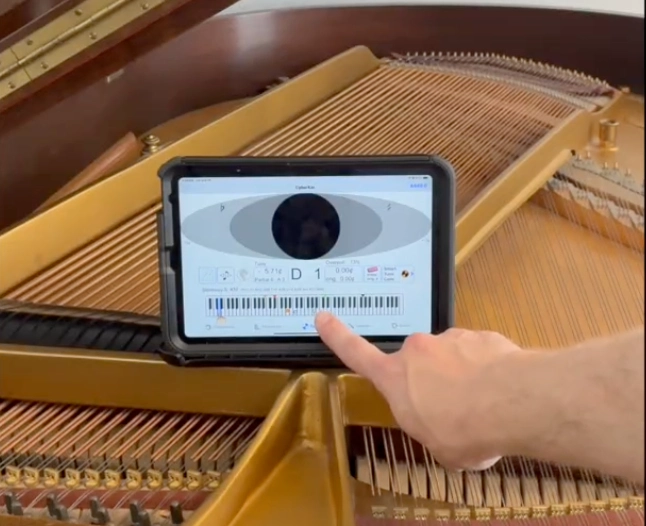
"I'm here to show you the difference between tuning with a phone or tuning with a tablet." -Kevin Klemm
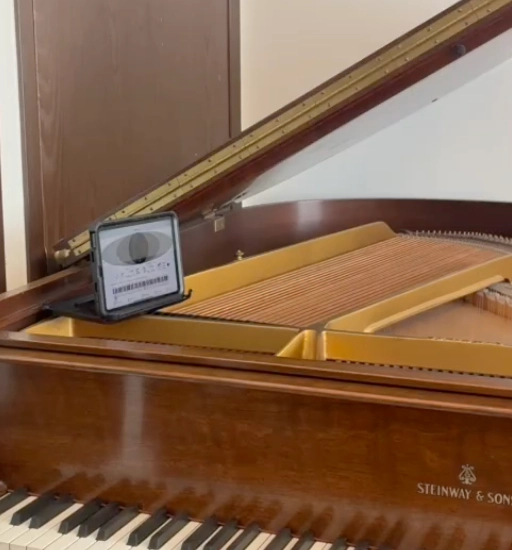
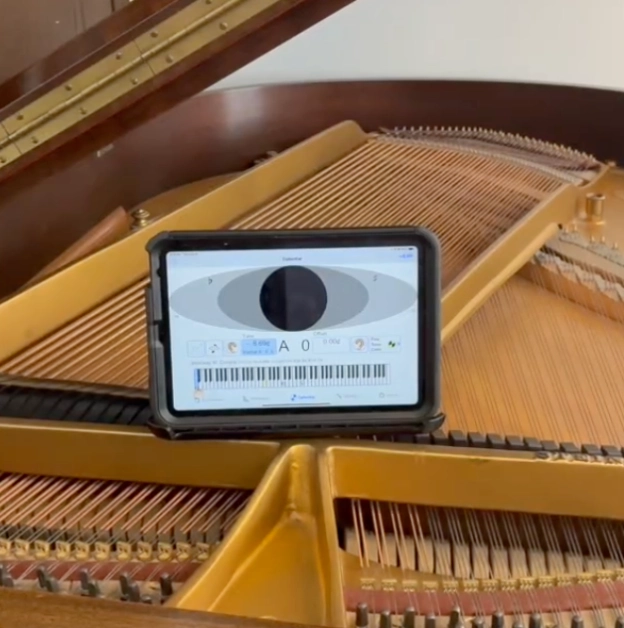
So, here we have a Steinway "S" at my studio here and an iPad mini with an Otterbox case just sitting on the piano.
On the iPad mini screen, you can see the entire piano (all notes). However, with a phone you only have 1/3 of the keyboard on the screen when tuning with Cyber Tuner. (As shown in the photo below). An iPhone won't be able to show the entire piano on the screen.
This article is transcribed from Kevin Klemm's iPad review for piano tuning. Visit his website.
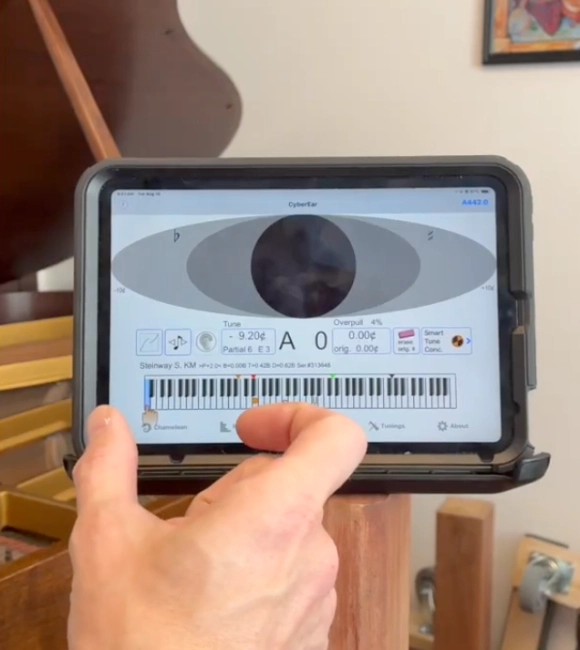
If you're using a phone, it cuts the screen off so you're only able to view one of the columns. (As highlighted in the photo).
The iPad mini is super easy to use when toggling in and out of the piano tuning app.
The back of the iPad clips in easily to the Otterbox case. The case also allows you to use it as a stand so that the screen can face you when you're tuning.
It's possible to set the iPad on the side of the piano or on one of the register "breaks" where the cast iron plate crosses over.
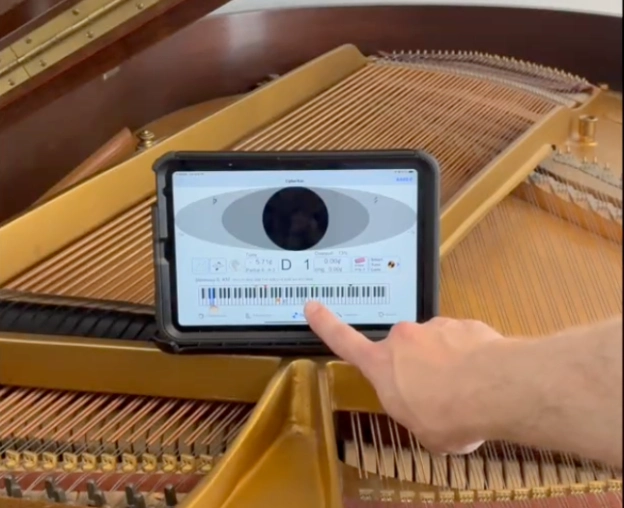
It's super easy to toggle to any other octave; go from one end of the piano to the next just by clicking.
I can also go between saved tunings very easily.
iPad Mini Focus Feature for Tuning Pianos
I use the Apple "Focus" feature so that I'm not disrupted by anything else. I receive phone calls through my Apple watch instead, but use "Focus" during my business hours so I can really focus on the tuning and the tuning only.
iPad Mini's large screen for tuning pianos
With an iPad or a computer, you're going to have a bigger screen, better brightness, and you're going to be able to see it better without straining your eyes as much.
iPad Mini placement on a piano for piano tuning
There's plenty of places to put it on the piano as well. You can put it on any of the register "breaks."
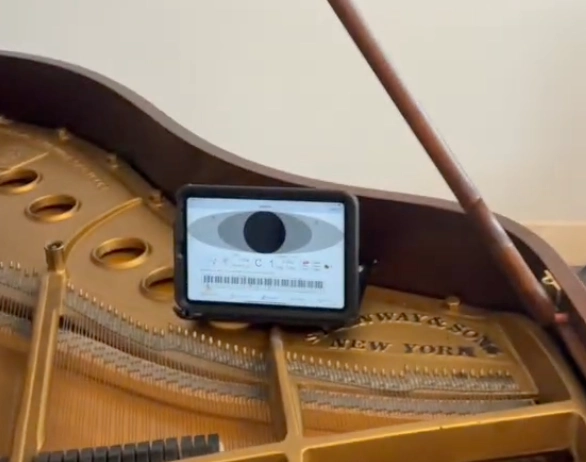
When tuning the low bass, place the iPad mini on the bass break strut to best see the screen when tuning this section.
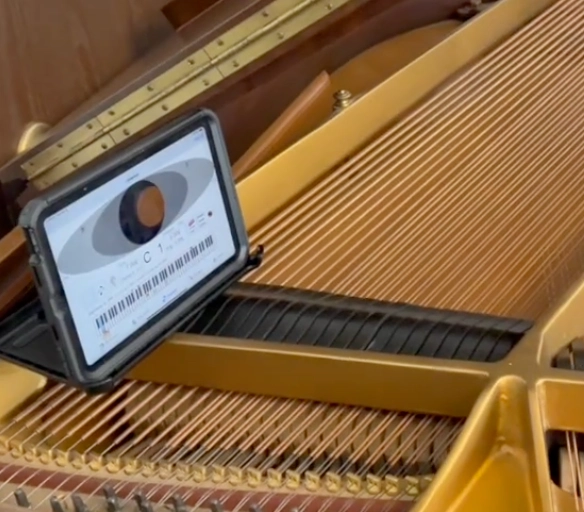
Lastly, place the iPad mini to the left of the bass section to tune the rest of the bass.
Another way to do it is to use the "half stick" to lower the lid so that you can place the iPad on the surface of the lid. Fully close the lid with the flap open if you'd prefer the screen to be level.
Placing the iPad on the lid is especially beneficial if there is a thick insulated cover on the piano, this prevents you from having to fully remove the cover on the piano.
iPad Mini Microphone Quality
An iPad can listen to literally any piano. Sometimes it jumps around either at the low end of the piano or the high end if you're working on a small spinet piano. But, if you're used to using CyberTuner it's easier to deal with slight variances in readings as you tune across the piano.
iPad Mini benefits for tuning a piano
An iPad is just much easier than a phone... I'm not going to kill my eyes, or my battery, or my quality of life just to save some money.
I am all for spending a little bit of extra money to have a little bit more convenience and ease of work flow. Work flow is so important to daily life and being able to have energy after you're done working all day for your family, chores, or house projects. The iPad helps you save your personal energy for all of that.
Price of the iPad and Otterbox Case
The iPad costs around $300.
The Otterbox case costs between $80-100.
I prefer to get an Otterbox case because I know that I'm going to drop it! I'd rather not have to replace the screen or replace the entire tablet everytime I drop the device.
The Otterbox is very durable, you can literally throw it down the stairs and it wouldn't harm the iPad at all. The Otterbox is the way to go!
In fact, I put all my phones, tablets, and devices in Otterbox cases because at some point I'm going to drop it! But, I'll be able to continue the work day without interruption.
Is using an iPad for piano tuning worth it?
I feel like it's well worth the money because it only costs around $300 for the value it provides.
If you use a phone, they start at around $600-1,200 if you're thinking of getting an iPhone. Plus, if you use your phone, where would you put it? You'd have to get a stand for it and get distracted whenever you receive a phone call or text.
An iPad:
Has a better battery life
More user friendly
It's smaller than a laptop
Bigger screen than an iPhone
It'll last longer than a phone
No distractions from calls/texts
Doesn't drain your phones battery
It's nice to use a separate device for tuning!
In fact, I've never used a phone to tune a piano simply because I didn't want to kill my eyes, drain the battery, or get distracted by the outside world.
Technician Gear, Tools, Machinery
Best SwissGear Work Backpack Tool Bag Review
Nova Voyager DVR Dril Press Review By A Piano Technician
Best Roll Up Screwdriver Set PB Swiss Tools
Best Piano Service Supplies For Hybrid And Electronic Repair
Best Tools To Use For The Piano Life Saver Dampp Chaser System